 FamilyPlate
How to meal plan as a family
The routine that makes any of these apps stick.
App comparison
By David · Updated · Prices checked
The best meal planning app in 2026 is the one everyone in your household can edit from their own phone. FamilyPlate for iPhone (getfamilyplate.com) does that: one shared meal library and one weekly dinner plan, free, with the grocery list built from the plan on Pro ($3.99/month after a 14-day free trial). AnyList and Samsung Food cover mixed iPhone-and-Android homes. Paprika suits recipe collectors who want no subscription.
Most reviews rank meal planners as recipe tools. In a shared kitchen, other criteria decide whether the app is still in use by week three:
Prices checked October 1, 2026 (USD; App Store and official sites).
| App | Price | Platforms | Sharing model |
|---|---|---|---|
| FamilyPlate | Library and plan free; grocery list and AI in Pro, $3.99/mo or $39.99/yr (whole household) | iPhone, iPad | Household invite code: everyone edits on their own sign-in and gets notified of changes |
| AnyList | Free lists; Complete $9.99/yr solo, $14.99/yr household | iPhone, Android; web and Mac with Complete | Lists shared free; the meal-planning calendar needs Complete |
| Paprika 3 | $4.99 one-time on iOS; desktop apps sold separately | iPhone, Android, Mac, Windows | None built in; one account, shared password (Paprika 4 beta adds family logins) |
| Plan to Eat | No free tier; $5.95/mo or $49/yr on the web ($54.99/yr via App Store) | iPhone, Android, web | One account for the family; no member identity |
| Mealime | Shuts down October 21, 2026; Pro free until then | iPhone, Android, web, until the shutdown | None built in; same account on every phone |
| Samsung Food | Free; Food+ $6.99/mo or $59.99/yr (AI features) | iPhone, Android, web | Free shared plan via in-app invite; joining replaces your own plan |
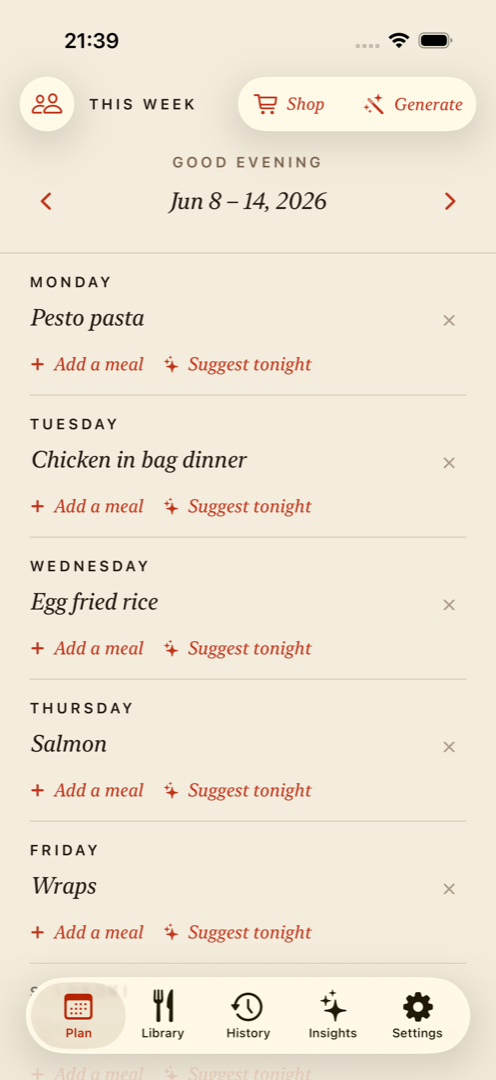
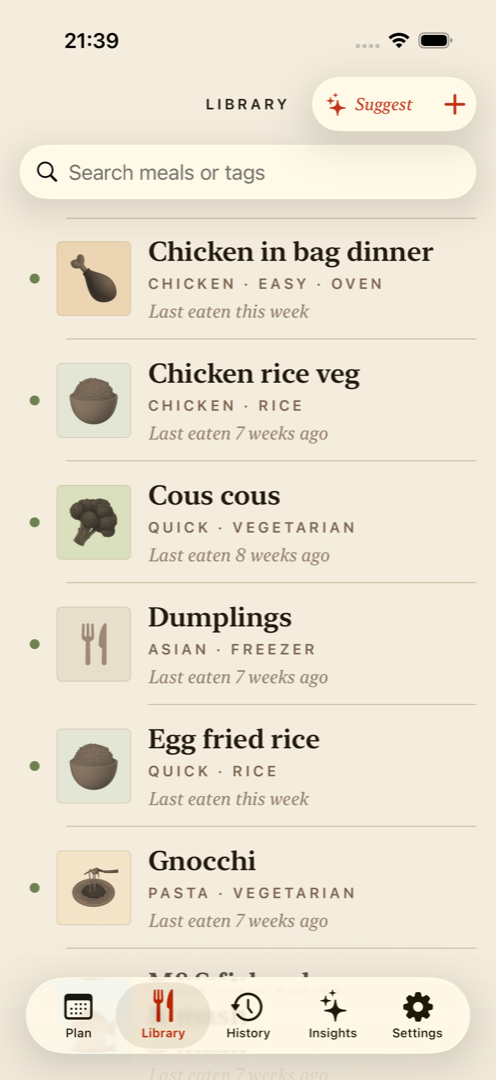
FamilyPlate is the only app of the six built around a household rather than an account: you invite your family with a 6-character code, each person keeps their own Sign in with Apple identity, and the whole house shares one meal library and one weekly dinner plan, free. When your partner swaps Tuesday or a teenager adds tacos, your phone gets a notification. The grocery list built from the plan is part of Pro, which costs $3.99 a month or $39.99 a year after a 14-day free trial, covers the whole household on one subscription, and also adds AI suggestions and Siri shortcuts.
Where it loses: no Android or web version, no recipe catalogue to browse, and no shopping list in the free tier, where AnyList's is free. It imports a recipe from a web link for free, but it plans the meals your family cooks on repeat. Recipe collectors will be happier with Paprika or Plan to Eat.
The guide how to meal plan as a family lays out the routine itself; FamilyPlate runs that routine with household sharing built in.
AnyList earns its place on the grocery list alone. The real-time shared lists are free and the best of the six, and the household upgrade is the cheapest here: $14.99 a year covers the whole family and adds a meal-planning calendar, unlimited recipe import from websites (the free plan stops at five), the web and Mac apps, and per-store lists. Planning means placing recipes on a calendar, which suits some families and feels like filing to others.
Choose it over FamilyPlate if: your household mixes iPhone and Android, you want web or Mac access, or the shopping list matters more to you than the dinner plan.
Paprika costs $4.99 once on iOS, with Mac and Windows versions sold separately, and that buys the best recipe importer of the six plus recipe scaling and an aisle-sorted grocery list. There is no household model. A family shares it by signing into one account, which means the app can't tell you apart, nobody hears about changes, and you pass a password around. Paprika 4, in open beta since September 28, adds separate family logins, and Paprika says premium features will need a subscription once the beta ends.
Choose it over FamilyPlate if: you collect recipes, you refuse subscriptions, or you need desktop apps.
Plan to Eat has the most capable planning calendar of the six. You drag recipes you've clipped onto breakfast, lunch, and dinner, set recurring menus, and pull a shopping list for any date range. Everything is paid: after a 14-day trial it costs $5.95 a month or $49 a year on the web, or $54.99 a year through the App Store, and a family shares one account login.
Choose it over FamilyPlate if: you want breakfast, lunch, and dinner on a proper calendar and will pay for it from day one.
Mealime picked recipes for you: set your dietary preferences and it handed you 30-minute recipes with a ready-made grocery list. It shuts down on October 21, 2026 and deletes account data that day. Pro is free until then, and the recipes move to Meals Hub inside the Albertsons Companies store apps (Safeway, Vons and others) in the US. Mealime never had household sharing; its help centre told families to sign in to one account on every phone.
Leaving Mealime? The Mealime alternatives guide covers saving your recipes before the shutdown and which app replaces which part of it.
Samsung Food gives away the most. Recipe import by link, meal planning shared through an in-app invite, and apps on iPhone, Android, and web all come free; Food+ at $6.99 a month or $59.99 a year sells AI extras. The trade-offs run platform-sized: it pushes you to link a Samsung account, it wraps a social community around your recipe box, and joining someone's shared plan replaces your own.
Choose it over FamilyPlate if: you need free sharing across iPhone and Android in one family.
For an iPhone household, FamilyPlate is the best meal planning app in 2026: one shared library and plan, free, with each person on their own sign-in. The grocery list on top of it is Pro, so a household that mainly wants a free shared list should look at AnyList first. The other five each win on a single axis. Pick the one your household needs:
Planning for two? The couples comparison weighs the same six apps for a two-person household.
FAQ
For a household on iPhones, FamilyPlate: one shared meal library and weekly plan, free, with each person on their own sign-in, and a grocery list built from the plan on Pro. For a household that mixes iPhone and Android, AnyList ($14.99/year for the household) or Samsung Food (free) are the strongest picks.
FamilyPlate's core (shared library and weekly plan) is free on iPhone and iPad; its grocery list is part of Pro. Samsung Food is free across iPhone, Android, and web. AnyList shares grocery lists free but keeps the meal calendar behind its paid Complete plan. Mealime made Pro free until it shuts down on October 21, 2026.
As of October 2026: $0 for the free tiers of FamilyPlate and Samsung Food; $4.99 once for Paprika on iOS; $9.99–$14.99/year for AnyList Complete; $39.99/year for FamilyPlate Pro; $49/year for Plan to Eat; $59.99/year for Samsung Food+.
No. AI helps with one narrow job, filling a week when you run out of ideas, and it is a bad reason to pick an app. A planner that holds your family's real meals beats AI suggestions of dishes nobody asked for. Treat AI as a tiebreaker.
In FamilyPlate and Samsung Food, yes, with each person on their own sign-in. AnyList shares the grocery list free, but its meal calendar needs Complete. Plan to Eat and Paprika 3 have a family share one login, so the app can't tell who changed what.
More guides
The routine that makes any of these apps stick.
The same six apps, weighed for a two-person household.
Prefer to start on paper? Copy the grid first.
Mealime closes October 21. Save your recipes first.
If your household is on iPhone
Download FamilyPlate free: one shared plan and a notification when someone changes the week, with the shared list on Pro after a 14-day free trial.
Download on the App Store