 FamilyPlate
One household, one plan
Invite your partner with a 6-character code or a link. You both see the same meal library and the same week — there's exactly one copy of the plan, and either of you can change it.
Meal planning for two
By David · Updated
Move the meal plan out of anyone's head and into one place you both can see and change — that's the fix. In most couples, the plan lives in one person's head, and whoever holds it carries dinner forever: what's in the fridge, what's for tonight, what to buy, even on the nights they aren't cooking. It isn't a communication problem. It's a storage problem.
Free 14-day Pro trial · One shared plan, equal say for both of you
Why the usual fixes fail
Most couples have tried something: a texted grocery list, a shared notes app, a spreadsheet with a tab per week. They all decay the same way. First you end up with two sources of truth — the plan says chicken, the text thread says "actually let's do pasta" — and nobody knows which one is current. Second, the plan and the shopping list aren't connected, so every change to one means somebody has to remember to update the other. And third, in practice only one person ever updates it, which means the plan drifted back into that person's head — you just added a spreadsheet on top. A system that survives has to fix all three.
The system
This works on paper, on a whiteboard, or in an app. The tool matters less than the shape.
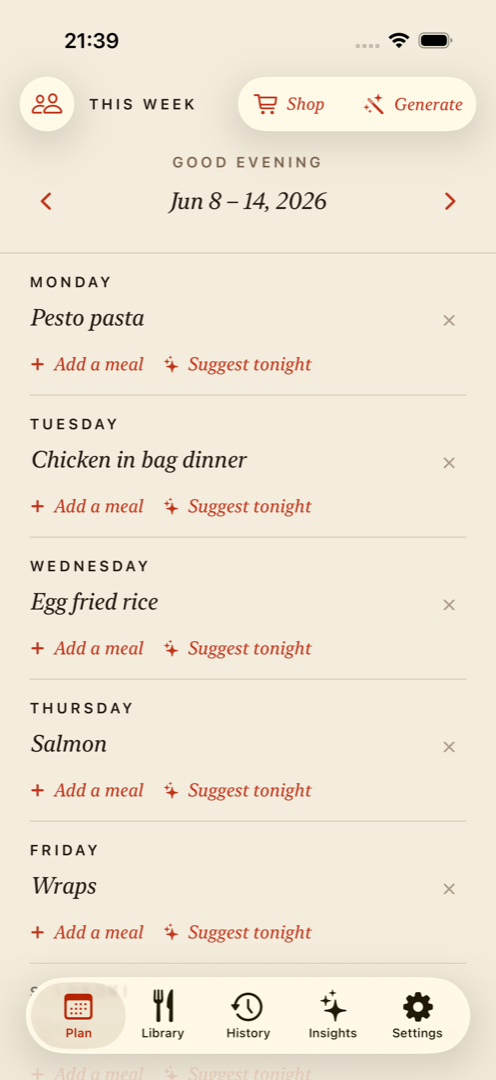
Pick a recurring moment — Sunday coffee works for many couples — and set the week together. Decide the dinners once, and put a name next to each night based on who's actually home and has energy that day.
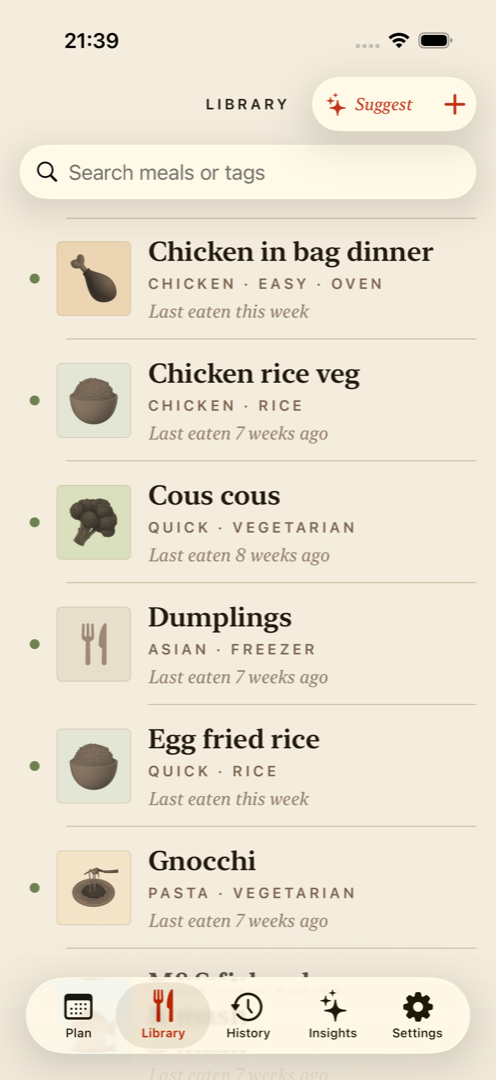
Write down the dinners either of you can make. Planning stops being a blank-page problem and becomes picking seven from a menu you already agree on — and it quietly documents that both of you can own a night.
The list should come from the plan, not from memory. When whoever shops can see exactly what the week needs, there's no handoff, no "did you get the…?", and no second trip on Wednesday.
The app version
FamilyPlate is that system, built in — one household, equal permissions, nothing to keep in sync by hand.
Invite your partner with a 6-character code or a link. You both see the same meal library and the same week — there's exactly one copy of the plan, and either of you can change it.
Either person swaps a night, and the other gets a notification instead of a text. No relaying updates, no wondering whether the plan on your phone is the current one.
Ingredients from the meals you plan land in one shopping list. Whoever's at the store checks things off, and both phones see the strikes — no handoff required.
A look inside
Questions
Keep one plan that both of you can see and edit, in a place you both already look. That can be a whiteboard on the fridge or a shared app — what matters is that there's exactly one copy. In FamilyPlate, both partners join one household and share the same meal library, the same weekly plan, and the same shopping list, so nobody has to relay updates.
Split it at planning time, not at 6 p.m. When you set the week, put a name next to each night based on who's home and who has energy that day — fair rarely means alternating exactly. Splitting the whole job helps too: one person can plan, the other can shop, and you can trade roles week to week.
Start with the ritual, not the tool — a paper plan on the fridge beats no plan, and fifteen minutes of deciding together is where most of the benefit comes from. If the paper version sticks, a shared app mostly removes the handoff: the plan and the shopping list stay current on both phones without anyone re-typing or texting updates.
In FamilyPlate, yes. Everyone in the household edits the same weekly plan, and changes sync to everyone. If you both change the plan at the same moment, the app reconciles the edits instead of silently overwriting one of them, and when your partner changes the week you get a notification rather than a text.
Keep reading
The complete five-step system this guide plugs into.
Six apps compared honestly for two people sharing one dinner plan.
A 7-day plan sized for two, with leftovers that don't get boring.
Realistic dinners for the newborn weeks, planned once, shared with your partner.
Three ready-made 7-day dinner plans you can steal tonight.
One list either of you can shop from — merged, pantry-checked, in store order.
A fridge whiteboard and a shared app, run on the same family week.
Carry it together
Build a meal library you both cook from, set the week in fifteen minutes, and with Pro let the shopping list follow the plan. The plan is free, and Pro starts with a 14-day free trial.
Download on the App Store